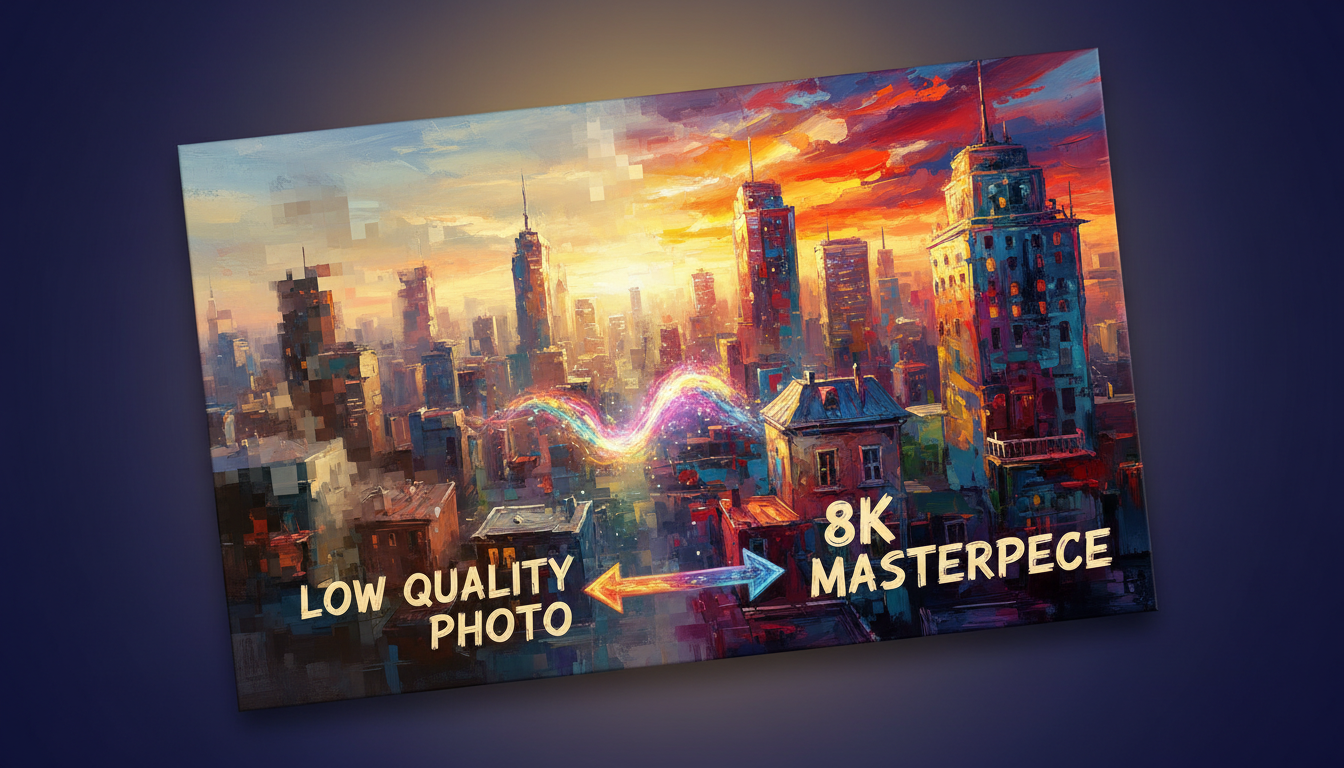
You’ve probably seen low-quality images that fall short of your expectations. Thankfully, technology has evolved, enabling us to enhance image quality dramatically.
Picture this: turning those images into stunning 8K quality. This reveals hidden details and colors, making them come alive.
Transform Low-Quality Images to Stunning 8K: Before & After Results
It’s a complex process that refines the image data. This leads to a significant boost in quality.
Key Takeaways
- Discover how to enhance image quality using advanced techniques.
- Learn about the process of transforming low-quality images into stunning 8K quality.
- Explore the before and after results of image enhancement.
- Understand the benefits of using high-quality images.
- Find out how to achieve professional-grade image quality.
The Power of 8K Image Enhancement
In today’s digital world, image quality is key to how we see and interact with visuals. The push for better image quality is growing, highlighting the importance of 8K image enhancement.
Why Image Quality Matters in Today’s Digital World
High-quality images are crucial in fields like entertainment, advertising, and education. They grab attention and convey messages better. Improving picture clarity greatly enhances the viewer’s experience, making it a vital part of digital content.
Understanding the Difference Between Low and High-Resolution Images
Low and high-resolution images differ in detail and clarity. Low-resolution images appear pixelated, lacking the sharpness of high-resolution ones. Upscaling image resolution can turn low-quality images into stunning visuals, perfect for large displays and professional use.
Defining 8K Resolution Standards
8K resolution is about 7680 x 4320 pixels. This ultra-high definition offers unmatched clarity and detail, setting it as the future of digital imaging.
Visual Impact of Resolution Upgrades
Switching to higher resolutions like 8K boosts the visual impact of images. The higher pixel density creates a more immersive experience, pulling viewers into the content.
| Resolution | Pixel Count | Visual Impact |
| Low Resolution | 640 x 480 | Pixelated, lacking detail |
| High Definition (HD) | 1920 x 1080 | Clear, detailed |
| 8K Resolution | 7680 x 4320 | Ultra-high definition, highly immersive |
What You Need to Transform Low-Quality Images to Stunning 8K
To turn low-quality images into 8K, you must first grasp your hardware and software needs. A computer capable of handling demanding tasks is crucial for high-quality image enhancement.
Hardware Requirements for 8K Image Processing
For 8K image enhancement, your computer’s hardware is key. A strong processor and high-performance graphics card are vital. They handle the complex computations needed for advanced image processing.
Recommended CPU and GPU Specifications
Efficient 8K image processing demands a CPU with multiple cores and high clock speeds. Intel Core i7 or AMD Ryzen 7 series processors are a good start. A high-end GPU, such as NVIDIA GeForce RTX 3080 or AMD Radeon RX 6800 XT, is also crucial. A good GPU can significantly reduce processing time and improve overall performance.
Storage Considerations for Large Image Files
8K images need substantial storage space due to their high resolution. A fast SSD (Solid State Drive) with at least 1TB of storage is advisable. This ensures ample space and quick access to your images. “Investing in a good SSD is investing in your productivity,” as it can significantly reduce loading and processing times.
Essential Software Tools for Image Enhancement
Alongside hardware, the right software is vital for image enhancement. Various tools are available, from free to professional-grade applications.
Free vs. Paid Software Options
Free software like GIMP offers image editing tools, though it may lack advanced features. Paid options, such as Adobe Photoshop, provide comprehensive tools for professional image retouching and enhancement. Choosing the right software depends on your specific needs and the level of enhancement required.
Plugin Extensions for Enhanced Functionality
Plugin extensions can enhance your image editing software. For example, AI-powered plugins can automate tasks like noise reduction and sharpening. This significantly improves your image enhancement workflow.
By combining the right hardware with the appropriate software tools, you’ll be ready to transform low-quality images into stunning 8K resolutions. This leverages the latest in image enhancement service technology.
Understanding Image Resolution and Quality Factors
The pursuit of breathtaking 8K images starts with mastering the basics of image resolution. To enhance image quality, it’s essential to grasp the technical elements that shape it. The resolution, a pivotal factor, is the pixel count in an image. It directly influences its clarity and sharpness.
Pixels, Resolution, and Aspect Ratio Explained
Pixels form the foundation of digital images, and their arrangement defines the resolution. Grasping resolution is crucial for upscale image resolution effectively. Aspect ratio, another key element, determines how images display on various screens.
The Mathematics Behind 8K Resolution
8K resolution features an impressive 7680 x 4320 pixels, quadrupling 4K’s pixel count. This leads to a more detailed and refined image. To illustrate this, consider the following table:
| Resolution | Pixel Count | Aspect Ratio |
| HD | 1280 x 720 | 16:9 |
| 4K | 3840 x 2160 | 16:9 |
| 8K | 7680 x 4320 | 16:9 |
How Aspect Ratio Affects Upscaling Results
The aspect ratio significantly influences upscaling. An image with a matching aspect ratio to the target display will upscale better. For example, upscaling a 4:3 image to fit a 16:9 screen can result in black bars or stretching.
Common Causes of Low-Quality Images
Several common issues lead to low-quality images. Recognizing these can aid in enhancing image sharpness and overall quality.
Compression Artifacts and Their Impact
Compression artifacts emerge when an image is overly compressed, causing detail loss and unwanted visual noise. This can severely degrade image quality.
Motion Blur and Focus Issues
Motion blur and focus problems are frequent causes of low-quality images. These issues stem from camera shake, subject movement, or incorrect focus settings.
By understanding these factors and their effects on image quality, you can take steps to improve them. This will help in creating sharper, more vibrant images.
Preparing Your Images for Enhancement
Preparing your images for enhancement is a critical step that greatly affects the quality of your 8K visuals. To get the best results, you must assess your source material and organize your workflow efficiently.
Assessing Your Source Material
Before starting the enhancement process, it’s crucial to evaluate the quality of your source images. Check for resolution, noise levels, and overall clarity.
Minimum Requirements for Successful Upscaling
To upscale images successfully, your source material must meet certain minimum requirements. It should have a reasonable initial resolution and minimal noise or distortion.
Identifying Images with Enhancement Potential
Not all images are suitable for enhancement. Look for images with good contrast, clear details, and minimal artifacts for the best results.
Organizing Your Workflow for Efficient Processing
A well-organized workflow is essential for efficient image enhancement. This includes setting up appropriate file naming conventions, folder structures, and preparing for batch processing.
File Naming Conventions and Folder Structures
Use clear and consistent file naming conventions and organize your files into logical folder structures. This will help you manage your images effectively throughout the enhancement process.
Batch Processing Preparation
When preparing for batch processing, ensure that all images are in the same format and have similar settings. This will streamline the enhancement process and save time.
Tips for Effective Preparation:
- Use software tools to analyze image quality before enhancement.
- Backup your original images to avoid data loss.
- Consider using ai-powered image enhancement tools for more accurate results.
Basic Image Enhancement Techniques
Enhancing images requires several fundamental steps to significantly improve their quality. Understanding the basic techniques is crucial for image enhancement.
Adjusting Brightness, Contrast, and Saturation
Adjusting brightness, contrast, and saturation are key steps in enhancing image quality. Brightness controls the overall lightness of the image. Contrast affects the difference between light and dark areas. Saturation impacts the intensity of colors.
Using Curves and Levels for Precise Control
Curves and levels offer precise control over brightness and contrast. Curves allow for subtle adjustments to the tonal range. Levels help in setting the black, white, and gray points.
Color Correction Fundamentals
Color correction is vital for natural-looking images. It involves adjusting color balance and saturation to accurately represent the original scene.
Sharpening and Noise Reduction Fundamentals
Sharpening and noise reduction are critical for enhancing image clarity. Sharpening accentuates details, while noise reduction minimizes unwanted artifacts.
Smart Sharpening Techniques
Smart sharpening techniques enhance details without introducing noise. This involves selectively sharpening specific areas of the image.
Balancing Detail Recovery with Noise Control
Balancing detail recovery with noise control is vital. Over-sharpening can introduce noise, while excessive noise reduction can lead to loss of detail.
Simple Resizing Methods and Their Limitations
Simple resizing methods, such as bicubic, bilinear, and nearest neighbor algorithms, are commonly used. They have limitations, notably when significantly upscaling images.
Bicubic vs. Bilinear vs. Nearest Neighbor Algorithms
Bicubic interpolation generally produces smoother results. Bilinear is faster but can be softer. Nearest neighbor is the simplest but can produce jagged edges.
When Traditional Upscaling Falls Short
Traditional upscaling methods can fall short with low-quality or highly pixelated images. In such cases, more advanced techniques are required.
| Technique | Description | Best Use |
| Bicubic Interpolation | Smoothes the image by interpolating between pixels | High-quality upscaling |
| Bilinear Interpolation | Faster than bicubic but can be softer | Quick resizing |
| Nearest Neighbor | Simple and fast but can produce jagged edges | Pixel art or simple graphics |
Advanced AI-Powered Upscaling Methods
The advent of AI-powered image enhancement has transformed low-quality images into stunning 8K visuals. Advanced AI techniques now offer remarkable results, thanks to neural networks. This transformation is a result of neural networks’ capabilities.
How Neural Networks Transform Image Quality
Neural networks have significantly improved image quality. They learn from vast datasets and understand image processing intricacies. They identify patterns and details not visible to the naked eye, enhancing images more accurately.
Understanding Generative Adversarial Networks (GANs)
Generative Adversarial Networks (GANs) play a crucial role in AI-powered image enhancement. GANs consist of a generator and a discriminator. The generator creates images, while the discriminator evaluates them, producing highly realistic images.
Deep Learning Approaches to Detail Generation
Deep learning approaches generate intricate details in images, making them look natural and refined. These techniques are essential for enhancing low-quality images to 8K.
Top AI Image Enhancers for 8K Results
Several AI image enhancers can produce 8K results, ranging from commercial solutions to open-source software. Choose the one that best fits your needs based on ease of use and output quality.
Commercial AI Enhancement Solutions
Commercial AI enhancement solutions, such as Adobe Photoshop, offer advanced tools and user-friendly interfaces. These solutions are ideal for professionals and individuals seeking precise control over enhancements.
Open-Source AI Upscalers
Open-source AI upscaling tools provide a cost-effective alternative for image enhancement. These tools are often community-driven and offer innovative solutions for upscaling images.
Setting Up and Using AI Enhancement Software
To get the most out of AI enhancement software, understanding setup and optimization is crucial. Proper configuration significantly impacts image quality.
Optimizing AI Settings for Different Image Types
Different image types require specific settings for optimal enhancement. Understanding these settings is key to achieving the best results for your images.
Processing Time vs. Quality Considerations
There’s a trade-off between processing time and image quality. Balancing these factors based on your requirements and hardware capabilities is essential.
By leveraging advanced AI-powered upscaling methods, you can significantly improve image quality. Achieving stunning 8K results that were previously unattainable is now possible.
Transform Low-Quality Images to Stunning 8K: Before & After Results
Enhancing images to 8K quality requires careful steps, from setting up your workspace to refining the final touches. Understanding and following these steps is key to achieving the best results.
Step 1: Preparing Your Workspace and Files
Before starting, it’s vital to prepare your workspace and files. This ensures a smooth process and prevents potential problems.
Creating Backup Copies of Original Images
Always make backup copies of your original images. This protects them from accidental changes or loss.
Setting Up Your Enhancement Environment
Set up your software and hardware for the best performance. Make sure your computer has the hardware requirements for 8K processing. Install the necessary software tools.
Step 2: Initial Image Cleanup and Optimization
Once your workspace is ready, clean and optimize your images. Remove unwanted elements and fix issues that could impact the final quality.
Removing Noise and Artifacts
Use tools to reduce noise and remove artifacts. This step is essential for a clean, clear final product.
Correcting Exposure and Color Issues
Adjust the exposure and color balance to ensure your images are well-lit and naturally colored. This step boosts the visual appeal of your images.
Step 3: Applying AI Upscaling Techniques
After cleaning and optimizing, apply AI upscaling techniques. Choose the right AI model and execute the upscaling process.
Selecting the Right AI Model for Your Image Type
Pick an AI model that fits your image type. Different models work best for different types, like portraits or landscapes.
Executing the Upscaling Process
Upscale your images to 8K using the chosen AI model. Monitor the process to ensure success and the desired results.
Step 4: Fine-Tuning the Results for Optimal Quality
After upscaling, fine-tune your images for the best quality. This includes sharpening, detail enhancement, and color grading.
Post-Processing Sharpening and Detail Enhancement
Apply sharpening techniques to improve clarity and definition. Be careful not to over-sharpen, which can introduce artifacts.
Final Color Grading and Adjustments
Make final adjustments to color and exposure. This ensures your 8K images look their best.
Here’s a comparison to show the effectiveness of these steps:
| Image Type | Original Resolution | Upscaled Resolution | Quality Improvement |
| Portrait | 1080p | 8K | Significant detail enhancement |
| Landscape | 4K | 8K | Improved color accuracy and clarity |
Professional Software Solutions for 8K Enhancement
The pursuit of flawless image quality has driven the creation of advanced software for 8K enhancement. Professionals aim to elevate low-quality images to breathtaking 8K visuals. This demand has surged, prompting the development of sophisticated tools. We will examine the most effective professional software solutions for enhancing 8K images.
Adobe Photoshop Techniques for High-Resolution Enhancement
Adobe Photoshop stands as a foundational tool for image editing, offering robust features for 8K image enhancement. It employs two primary techniques for high-resolution improvement:
Using Super Resolution in Adobe Camera Raw
Super Resolution in Adobe Camera Raw enables significant image enlargement while preserving detail and clarity. This feature harnesses AI to enhance image resolution intelligently.
Advanced Layer Techniques for Detail Recovery
Professionals utilize advanced layer techniques to recover lost details in images. Techniques like layer masking and detail enhancement are essential for achieving superior 8K images.
Specialized Programs for Image Upscaling
Adobe Photoshop is not the only solution; specialized programs focus on image upscaling. These tools provide advanced functionalities for professionals aiming at the highest 8K image quality.
Topaz Gigapixel AI Workflow
Topaz Gigapixel AI employs AI to enlarge images while maintaining and enhancing details. It’s a powerful tool for professionals aiming to upscale images to 8K and beyond.
ON1 Resize AI Techniques
ON1 Resize AI also leverages AI for image upscaling. It offers a variety of techniques for professionals to achieve high-quality enlargements.
Cloud-Based Services for 8K Transformation
Cloud-based services provide a convenient and scalable solution for professionals enhancing images to 8K. These services offer access to powerful processing capabilities without the need for expensive hardware.
Subscription vs. Pay-Per-Image Services
Cloud-based services often come with subscription models or pay-per-image pricing. Professionals should weigh their workflow and budget when deciding between these options.
Security and Privacy Considerations
When utilizing cloud-based services, security and privacy are paramount. It’s crucial to select services that offer robust data protection and adhere to privacy regulations.
By utilizing these professional software solutions, achieving stunning 8K image quality becomes attainable. Whether through Adobe Photoshop, specialized upscaling programs, or cloud-based services, there’s a solution to meet your professional needs.
Before & After: Real-World Examples of 8K Transformations
Discover the stunning before-and-after transformations of images elevated to 8K. These examples highlight the power of 8K enhancement across various images. They show significant boosts in clarity and detail.
Portrait Photography Transformations
Portrait photography greatly benefits from 8K enhancement, notably in skin texture and detail recovery. Advanced algorithms refine facial features naturally, creating more authentic and pleasing images.
Skin Texture and Detail Recovery
Improving skin texture involves making subtle adjustments. These reveal the subject’s skin details, making portraits more lifelike.
Enhancing Facial Features Without Artificiality
8K transformation enhances facial features carefully. This maintains the subject’s authenticity while boosting overall image quality.
Landscape and Nature Image Enhancements
Landscape and nature images see significant transformations. Recovering fine details in foliage and textures is key. Sky and water enhancement techniques also enrich the visual experience.
Recovering Fine Details in Foliage and Textures
8K enhancement reveals the intricate patterns and details in natural landscapes. This makes them more vivid and engaging.
Sky and Water Enhancement Techniques
Advanced techniques improve skies and water bodies in landscapes. This adds depth and realism to the images.
Historical Photo Restoration to 8K
Restoring historical photos to 8K requires enhancing quality while preserving authenticity. This process demands careful handling of aged and damaged material.
Dealing with Aged and Damaged Source Material
Experts employ specialized techniques to repair and enhance historical photographs. They bring these images to life without changing their essence.
Preserving Authenticity While Enhancing Quality
The aim of historical photo restoration is to balance enhancement with authenticity preservation. This ensures the restored image remains faithful to its original.
These examples show how 8K image transformation can dramatically improve picture clarity and enhance sharpness. This opens new possibilities for photographers, historians, and artists.
Troubleshooting Common Issues in 8K Image Enhancement
To achieve high-quality 8K images, you need advanced tools and troubleshooting skills. When you enhance image quality with advanced techniques, you might face several challenges. These can impact the final image quality.
Dealing with Artifacts and Distortions
Artifacts and distortions are common when enhancing images to 8K. These issues can be tough to solve. But, there are ways to reduce their impact.
Identifying AI-Generated Anomalies
AI tools can sometimes introduce anomalies. To spot these, look closely at the enhanced image. Check for unnatural patterns or textures.
Manual Correction Techniques
After spotting AI anomalies, you can use manual correction. This involves using image editing software to tweak the affected areas.
Fixing Color Inconsistencies and Imbalances
Color inconsistencies can ruin the quality of an enhanced image. It’s vital to fix these issues for a natural look.
Color Calibration Methods
Color calibration ensures the enhanced image matches the original colors. Adjusting color profiles or using calibration tools can help.
Gradient and Banding Solutions
Gradient and banding problems can be fixed with specific techniques. These methods smooth out color transitions.
Solutions for Oversharpening and Unnatural Results
Oversharpening can make an image look artificial. Finding the right balance is crucial.
Finding the Right Balance in Detail Enhancement
The aim is to enhance details without oversharpening. This balance is key to maintaining natural textures.
Selective Masking for Natural Results
Selective masking lets you focus on specific image areas for enhancement. This approach helps achieve more natural results.
Professional Image Enhancement Services vs. DIY Approaches
Choosing between professional image enhancement services and DIY methods hinges on several factors. These include the original image’s quality, your budget, and the image’s intended use. Each option has its merits, depending on your specific needs.
When to Hire a Professional Service
For critical images like historical photos or professional portraits, professional services are advisable. They possess the expertise and advanced software needed for top-notch results.
Evaluating Service Providers and Their Capabilities
When picking a service, examine their portfolio, client feedback, and offered services. Ensure they specialize in your required image enhancement type.
Communicating Your Enhancement Requirements
Ensure you clearly state your needs to the service provider. Specify the desired resolution, file format, and any editing specifics.
Cost-Benefit Analysis of Different Enhancement Methods
DIY methods with software like Adobe Photoshop can save money for basic edits. Yet, for intricate or high-resolution work, professional services might be more cost-effective, despite their higher initial cost.
Subscription Software vs. One-Time Purchases
Decide if you need ongoing access to software or a one-time solution. Services like Adobe Creative Cloud provide continuous updates and new features.
Time Investment Considerations
Consider the time needed to master image enhancement software. If your time is precious, a professional service could be more efficient.
Practical Applications for 8K Enhanced Images
Enhancing image quality to 8K opens up new avenues for use. AI-powered image enhancement can turn low-quality images into stunning 8K visuals. This transformation is vast and exciting.
Using Enhanced Images for Print and Large Displays
8K enhanced images are ideal for printing and large screens. They are perfect for marketing materials, exhibition content, or large-format prints. These images ensure your visuals are crisp and detailed.
Preparing Files for Commercial Printing
When preparing 8K images for commercial printing, follow these steps:
- Use the correct color profile for printing
- Ensure the image resolution is suitable for the intended print size
- Soft-proof your images to account for the printing process
Optimizing for Digital Displays and Installations
For digital displays, consider these tips:
- Match the image resolution to the display’s native resolution
- Adjust the color profile for digital display standards
- Test your content on the target display before the final installation
8K Images for Professional Portfolios and Presentations
Professionals can greatly benefit from using 8K enhanced images in their portfolios and presentations. The high detail and clarity can significantly impact your work or client presentations.
Creating Impact with Ultra-High Resolution
To maximize the impact:
- Use 8K images as cover images or headers in your portfolio
- Incorporate zoom effects or interactive elements to showcase the detail
- Ensure your presentation software can handle large image files
Delivery Methods for Large Files
When delivering large 8K image files:
- Consider using cloud storage services for easy sharing
- Use file compression techniques without compromising quality
- Provide clients with the option to view images in a web-based viewer
| Delivery Method | Advantages | Disadvantages |
| Cloud Storage | Easy sharing, accessible from anywhere | Dependent on internet connection, potential security concerns |
| External Hard Drives | High storage capacity, secure | Physical transport required, potential for hardware failure |
| File Compression | Reduces file size for easier sharing | Potential loss of quality if not done correctly |
Archiving and Preserving Important Photographs
8K enhanced images are crucial for archiving and preserving important photographs. The high resolution ensures that even old or damaged images can be restored to their former glory.
Storage Solutions for 8K Image Libraries
For storing 8K image libraries:
- Use high-capacity storage solutions like NAS or SAN
- Implement a robust backup strategy, including offsite storage
- Consider using professional-grade external hard drives for additional backup
Future-Proofing Your Image Collection
To future-proof your 8K image collection:
- Regularly update your storage solutions to keep pace with technological advancements
- Store images in multiple formats to ensure compatibility with future software
- Document your image metadata and storage methods for future reference
“The future of image archiving lies in embracing new technologies while maintaining the integrity and accessibility of our visual heritage.”
— Expert in Digital Preservation
By leveraging 8K enhanced images across various applications, you can significantly enhance the quality and impact of your visual content. This is true for professional, commercial, or personal use.
Future Trends in Image Enhancement Technology
The future of image enhancement is being shaped by advancements in AI and machine learning. These technologies are evolving, leading to significant improvements in image quality and processing efficiency.
Emerging AI Technologies for Image Processing
AI is increasingly important in image enhancement. Two key areas of development are:
- Next-generation neural networks that can process images more accurately and efficiently
- Real-time 8K enhancement capabilities that allow for faster processing of high-resolution images
Next-Generation Neural Networks
These advanced neural networks are being designed to better understand image contexts. This leads to more accurate and detailed enhancements.
Real-Time 8K Enhancement Capabilities
The ability to enhance 8K images in real-time is becoming a reality. This is thanks to advancements in AI and processing power. It allows for faster turnaround times in industries that rely on high-resolution imagery.
What to Expect in the Next Generation of Enhancement Tools
As image enhancement technology continues to advance, we can expect two major developments:
- Integration with content creation workflows, making it easier to incorporate enhanced images into various projects
- Democratization of professional-grade enhancement tools, allowing more users to access high-quality image processing capabilities
Integration with Content Creation Workflows
Future enhancement tools will likely be designed to seamlessly integrate with popular content creation software. This will streamline the editing process.
Democratization of Professional-Grade Enhancement
As AI technology becomes more accessible, we can expect to see professional-grade image enhancement capabilities become available to a wider range of users. This will not just be for professionals.
With these advancements on the horizon, the future of image enhancement looks bright. It offers exciting possibilities for both professionals and enthusiasts alike.
Conclusion
You now possess the knowledge to elevate low-quality images to stunning 8K standards. Understanding the significance of image resolution is crucial. The right hardware and software, combined with advanced AI-powered upscaling methods, are key to enhancing image quality.
This article has covered a range of techniques, from basic enhancements to professional software solutions. These methods offer a comprehensive approach to achieving high-quality images. Whether for personal photos or professional projects, the tools and methods outlined will help you achieve stunning 8K results.
As image enhancement technology advances, staying current with the latest trends and advancements is essential. By applying the knowledge from this article, you can transform low-quality images into stunning 8K: before & after results that will surely impress.
Enhance your image quality today and see the difference high-resolution images can make in your personal and professional endeavors.
FAQ
What is the best way to enhance image quality?
To boost image quality, advanced processing techniques are key. AI-powered enhancement stands out, significantly improving clarity and resolution. It can transform images into stunning 8K quality.
How do I upscale image resolution effectively?
Effective upscaling requires the right tools and methods. Utilizing neural networks and deep learning can generate high-quality, detailed images.
What are the benefits of using AI-powered image enhancement?
AI-powered enhancement offers several advantages. It can automatically adjust brightness, contrast, and saturation. It also sharpens and reduces noise, achieving professional-grade quality.
Try NowCan I enhance low-quality images to 8K resolution?
Yes, enhancing low-quality images to 8K is possible. Advanced techniques and software, like generative adversarial networks (GANs), can achieve this.
What are the common causes of low-quality images?
Low-quality images often stem from compression artifacts, motion blur, and focus issues. Addressing these with techniques like noise reduction and sharpening can improve image quality.
How do I choose the right image enhancement software?
When selecting software, consider your image types and enhancement needs. Look for software that leverages AI and advanced techniques for optimal results.
What is the difference between free and paid image enhancement software?
Free software often has basic features. Paid options, though, offer advanced tools, including AI, for professional-grade enhancements.
How can I improve picture clarity?
To enhance clarity, sharpen, reduce noise, and adjust contrast. AI-powered enhancement can also refine details in your images.
What are the best practices for image enhancement?
For optimal enhancement, assess your source material first. Choose the right software and techniques for your image type. Fine-tune your results for the best quality.